Thank you for visiting.
- Visit MakeMyBrowser and press the "Start Now" button.
- Now you will be able to see the option to add your browser name and icon so choose the best name and icon that you wanna use.
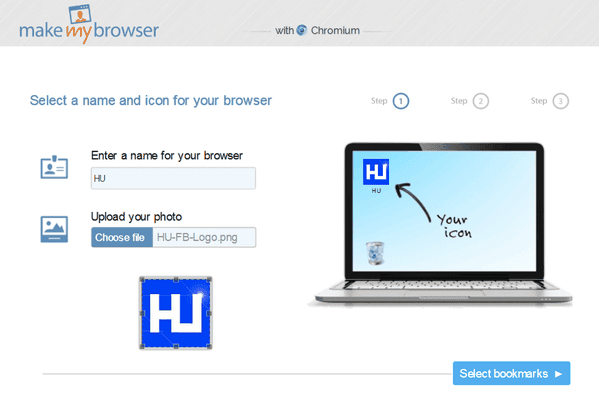
- Now after adding your name and icon press the Select Bookmarks option and then you will see pre added bookmarks, well you can keep them or you can manually add some of yours that you like.
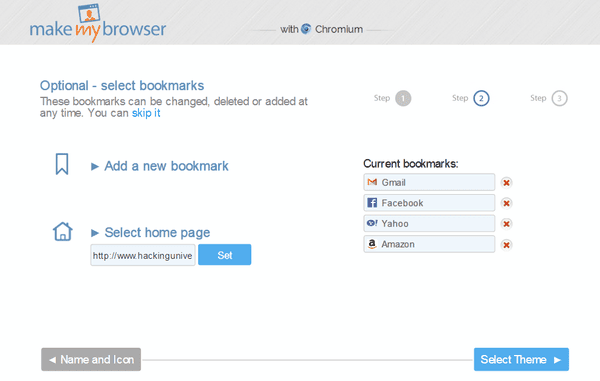
- Now you have added your bookmarks and personal Homepage you can proceed to next step that's adding some style to your browser by choosing a good theme.
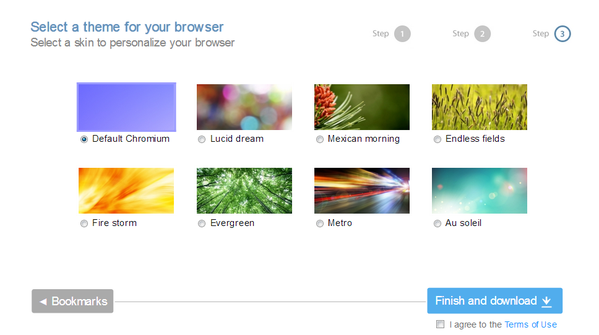
- So now they have some 8 themes predefined, so choose the one you like and then agree to the terms and press Finish & Download option.
- Now your browser will get prepared and you will get your file, now the file is 400KB in size so when you first open it up it will download few files online to get the browser running, so wait and enjoy your browser.
Ref : Hacking University

No comments:
Post a Comment